
AI Food Photography for Menus and Delivery Apps
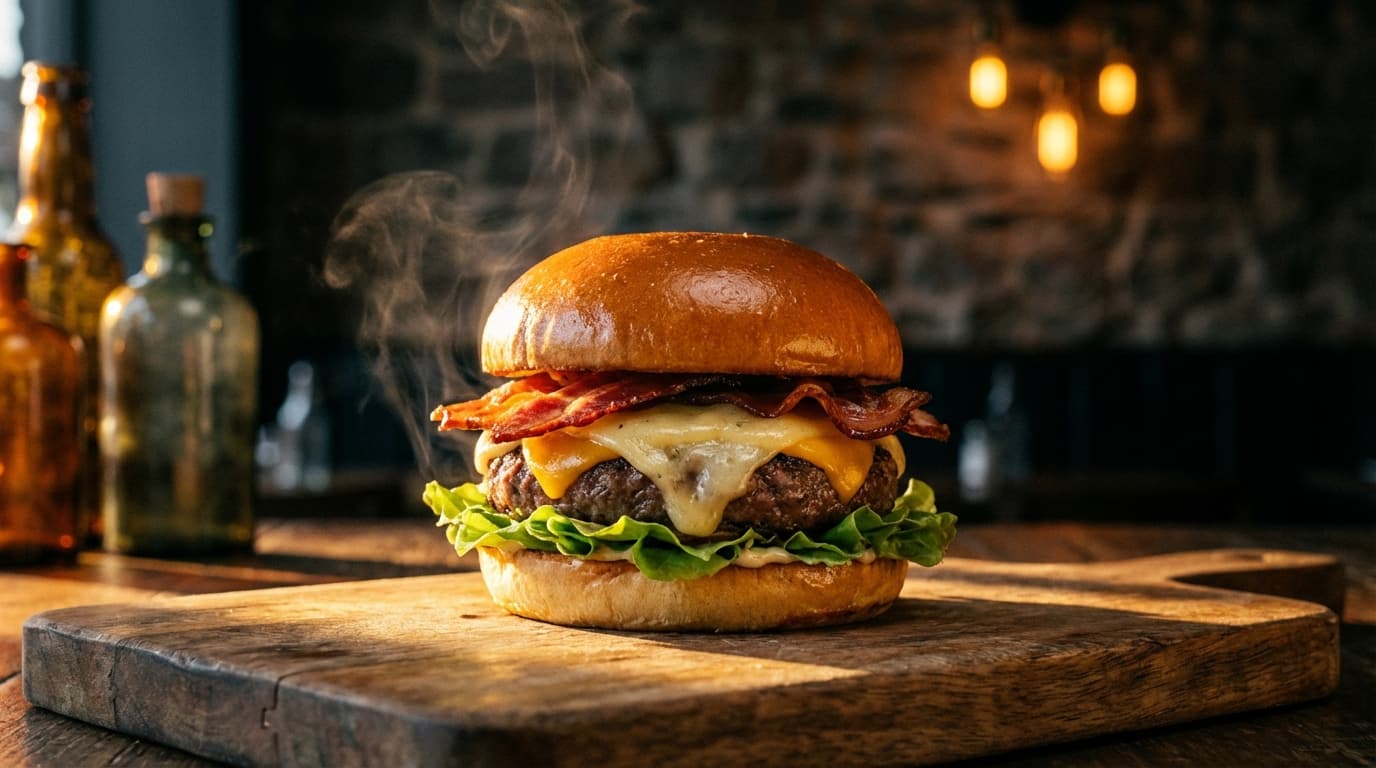
AI food photography lets restaurants and food brands produce appetizing, menu-quality images at a fraction of the cost of a traditional shoot: you photograph the real dish and let AI handle the styling and lighting, or generate a scene from a description before the dish even exists. It sidesteps food photography's unique problem — the product literally wilts under the lights. Ice cream melts, lettuce droops, steam disappears, so professional shoots rely on food stylists and tricks like motor oil for syrup, mashed potatoes for ice cream, and spray-on deodorant to make fruit shine. It looks great, but it's expensive, time-consuming, and the "food" isn't even real.
AI food photography offers a different approach. You photograph the actual dish, then use AI to enhance, relight, and stylize it into menu-quality imagery. Or you generate scenes entirely from a description when you need concept images before a dish even exists.
Where AI Food Photography Fits
Restaurant menus
Most restaurant menus use either no photos (lost revenue) or low-quality phone photos (worse than no photos). Professional food photography for a full menu of 40-80 items can cost $5,000-$15,000. AI brings that cost down to a fraction while producing consistently appetizing results.
Delivery app listings
Uber Eats, DoorDash, and Grubhub listings with photos get significantly more orders than those without. The platform thumbnail is often the only thing a customer sees before deciding. AI-generated food images can fill every listing slot without a photoshoot.
Food packaging and branding
CPG food brands need "serving suggestion" images for packaging — the glamour shot of the prepared dish on the box. AI can generate these from the actual product, styled to look appetizing.
Recipe and blog content
Food bloggers and recipe sites need multiple images per recipe. AI can generate plating variants, ingredient flat lays, and step-by-step visuals.
Lighting for Food
Food photography lives and dies on lighting. Use Relight to get it right:
The golden rule: side lighting
Side lighting is the universal food lighting setup. Light coming from the left or right at roughly 45 degrees creates:
- Shadows that add depth — Making the dish look three-dimensional, not flat
- Highlights on sauces and glazes — Making them look wet and appetizing
- Texture visibility — Showing the crust on bread, the sear on meat, the grain of chocolate
Backlighting for beverages
Drinks — especially translucent ones like cocktails, juices, and wines — look best with light coming from behind. This creates the glow that makes a glass of orange juice look refreshing rather than flat.
Avoid front lighting
Direct front lighting flattens food and eliminates the shadows that make dishes look appetizing. This is the most common mistake in amateur food photography and the easiest to fix with Relight.
Prompting for Food
Effective food prompts should include:
- Specific dish description — "Margherita pizza with charred crust, fresh basil, and buffalo mozzarella" not just "pizza"
- Plating details — "on a rustic ceramic plate," "in a cast iron skillet," "in a white bowl with wide rim"
- Garnish and styling — "topped with microgreens and a drizzle of olive oil"
- Surface and setting — "on a dark wood table," "on marble counter with linen napkin"
- Mood — "warm, inviting, rustic trattoria atmosphere" or "clean, modern, fine dining presentation"
Category-Specific Tips
Burgers and sandwiches Show the cross-section. AI can generate that perfect cut-in-half shot showing layers of ingredients. Emphasize height and drip — melting cheese, dripping sauce.
Pasta and noodles Steam and twirl. Request "steam rising from the dish" and show the pasta being lifted with a fork. Movement and heat cues make pasta look freshly served.
Desserts High contrast and vivid color. Chocolate should be dark and glossy. Berries should be jewel-bright. Ice cream should have that just-scooped texture with visible crystals.
Salads and bowls Overhead flat lay perspective works best. Show the variety of ingredients arranged so each element is visible. Use [Create](/create) with overhead angle prompts.
Coffee and beverages Close-up with latte art or condensation on the glass. Backlighting for warm glow. Include a contextual prop — a croissant, a book, a hand reaching for the cup.
The Practical Workflow
For a restaurant updating their menu imagery:
- Photograph each dish with a smartphone in natural light — near a window works best
- Remove Background to isolate the dish from the messy kitchen background
- Relight to apply professional side lighting
- Create with the dish photo as a product reference plus a style reference from a food magazine or competitor you admire
- Upscale for print-quality menu images
A 50-item menu can be shot and processed in a single day.
A Note on Authenticity
AI-generated food images should represent the actual dish. Customers who order a beautifully AI-enhanced burger and receive something that looks nothing like the picture will leave negative reviews. Use AI to improve lighting, styling, and presentation — not to fundamentally misrepresent what you serve.
The best approach: photograph the real dish, then use AI to make it look as good as it tastes.