
Batch Product Photography with AI: From 10 SKUs to 1,000
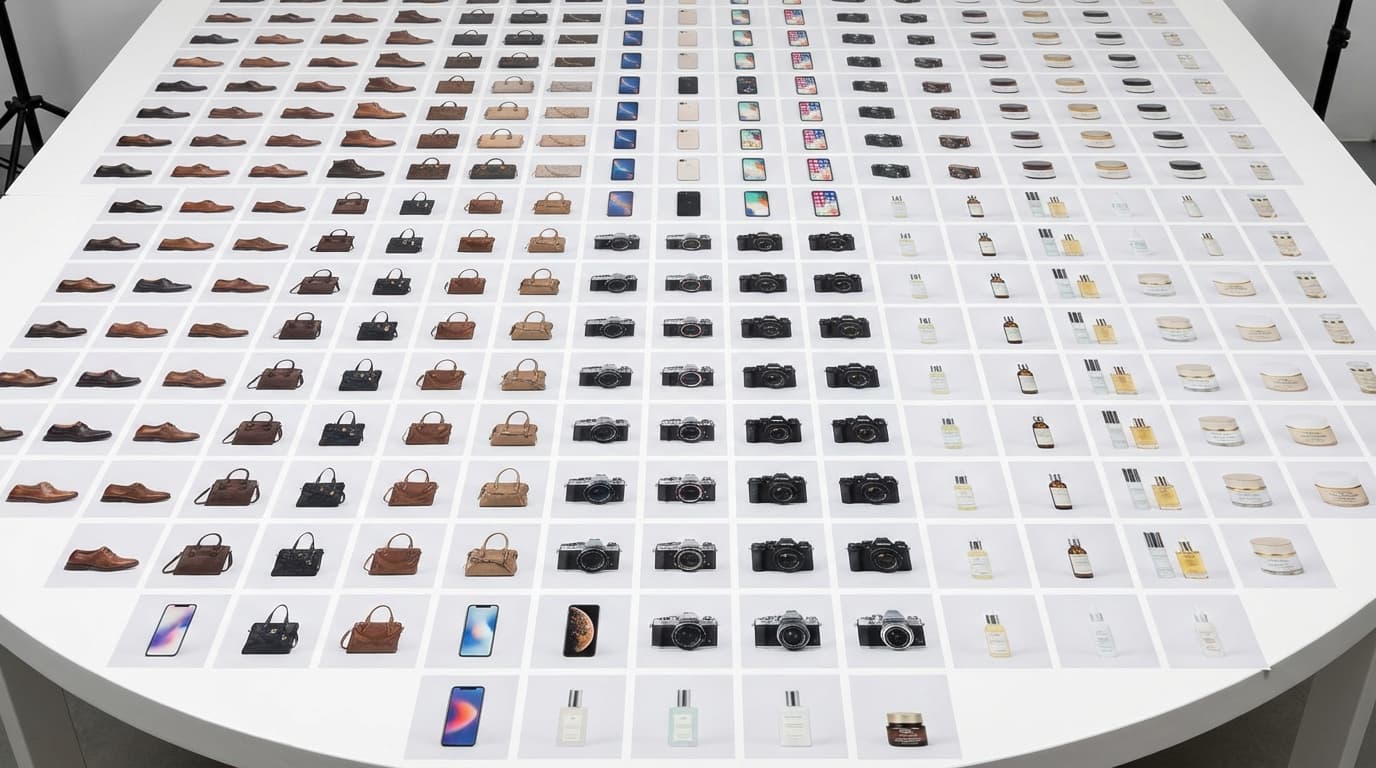
To scale AI product photography from a handful of SKUs to a full catalog, standardize your source images, build reusable prompt templates by product category, and run every output through a lightweight review pipeline. Generating one great image is already a solved problem; the batch challenge is doing it hundreds of times with consistent quality, on a deadline, without losing your mind. Solve the three real bottlenecks — inconsistent sources, prompt drift, and manual review — and the workflow scales.
The Bottleneck Isn't Generation
AI image generation is fast. The bottleneck in batch workflows is almost always one of three things:
- Inconsistent source images — Products photographed under different conditions produce inconsistent AI outputs
- Prompt drift — Tweaking prompts per-product seems helpful but creates visual inconsistency across the catalog
- Manual review overhead — Someone has to look at every output and decide if it's good enough
Solving batch product photography means addressing all three.
Step 1: Standardize Your Source Images
Before you generate anything, normalize your inputs:
- Capture all products the same way. Same lighting, same angle, same distance. A smartphone on a tripod with a white background is fine — consistency matters more than equipment.
- Run all source images through Remove Background. This eliminates environmental variables and gives the AI a clean starting point.
- Batch relight if needed. If your source photos have inconsistent lighting, use Relight to normalize them before generation.
The goal is making every product image look like it came from the same shoot, even if it didn't.
Step 2: Build Prompt Templates by Category
Don't write unique prompts for every product. Instead, create templates by product category:
Apparel template: Product on model, studio lighting, white background, fashion editorial style, clean and minimal
Electronics template: Product centered on minimalist desk, soft rim lighting, tech lifestyle, premium feel
Skincare template: Product on marble surface, natural light from left, spa aesthetic, soft shadows
Upload one product from each category to Create, refine the prompt until you're happy, then save that prompt as your template. Swap in new products using the same prompt structure.
Step 3: Establish a Review Pipeline
Batch doesn't mean blind. Build a lightweight review process:
- Generate 2-4 variants per product — More options means faster selection, fewer regenerations
- Quick-pass review — Spend 10-15 seconds per image. Flag only clear failures (artifacts, wrong product placement, color issues)
- Batch post-processing — Run all approved images through Upscale as a final step
Set a quality threshold, not a perfection standard. If an image is 90% right and would take a reshoot to improve, it's done.
Scaling Strategies
Tier your catalog
Not every SKU deserves the same investment:
- Hero products (top 10%) — Full treatment: multiple scenes, multiple angles, lifestyle imagery. Use all five reference categories in Create.
- Standard products (middle 60%) — Template-based generation: one or two scenes, one hero image plus product-on-white.
- Long-tail products (bottom 30%) — Basic treatment: product-on-white with consistent lighting. Clean and fast.
Process in category batches
Shoot and process one product category at a time. All shoes, then all bags, then all accessories. This keeps your prompt templates loaded and your review eye calibrated for that specific product type.
Track what works
Keep a simple log: which prompt templates produce the best first-pass acceptance rates? Which product types need the most regeneration? This data tells you where to invest in better source images vs. better prompts.
Common Batch Workflow Mistakes
- Optimizing for speed over consistency. Rushing through with slightly different prompts per product creates a catalog that looks like it was assembled from five different brands.
- Skipping background removal. It's tempting to save time by generating directly from raw photos. The 30 seconds per image you save on background removal costs you minutes of regeneration when the AI misinterprets background elements.
- Over-processing hero products. It's easy to spend 30 minutes perfecting one image when you have 200 more to do. Set time limits per SKU based on its tier.
- Not saving prompt templates. If a prompt works, write it down immediately. Recreating a good prompt from memory wastes time.
Realistic Throughput Expectations
With an established workflow and prompt templates:
- Source prep (remove bg, relight): 1-2 minutes per product
- Generation: 30-60 seconds per image
- Review and selection: 15-30 seconds per product
- Post-processing (upscale): 30-60 seconds per image
That's roughly 3-5 minutes per product end-to-end. A 100-product catalog takes a focused day. A 1,000-product catalog takes about two weeks with one person.
Compare that to traditional photography, where 100 products is a multi-week project with a team. The math speaks for itself.