
AI Furniture Photography: Room Scenes and Lifestyle Shots
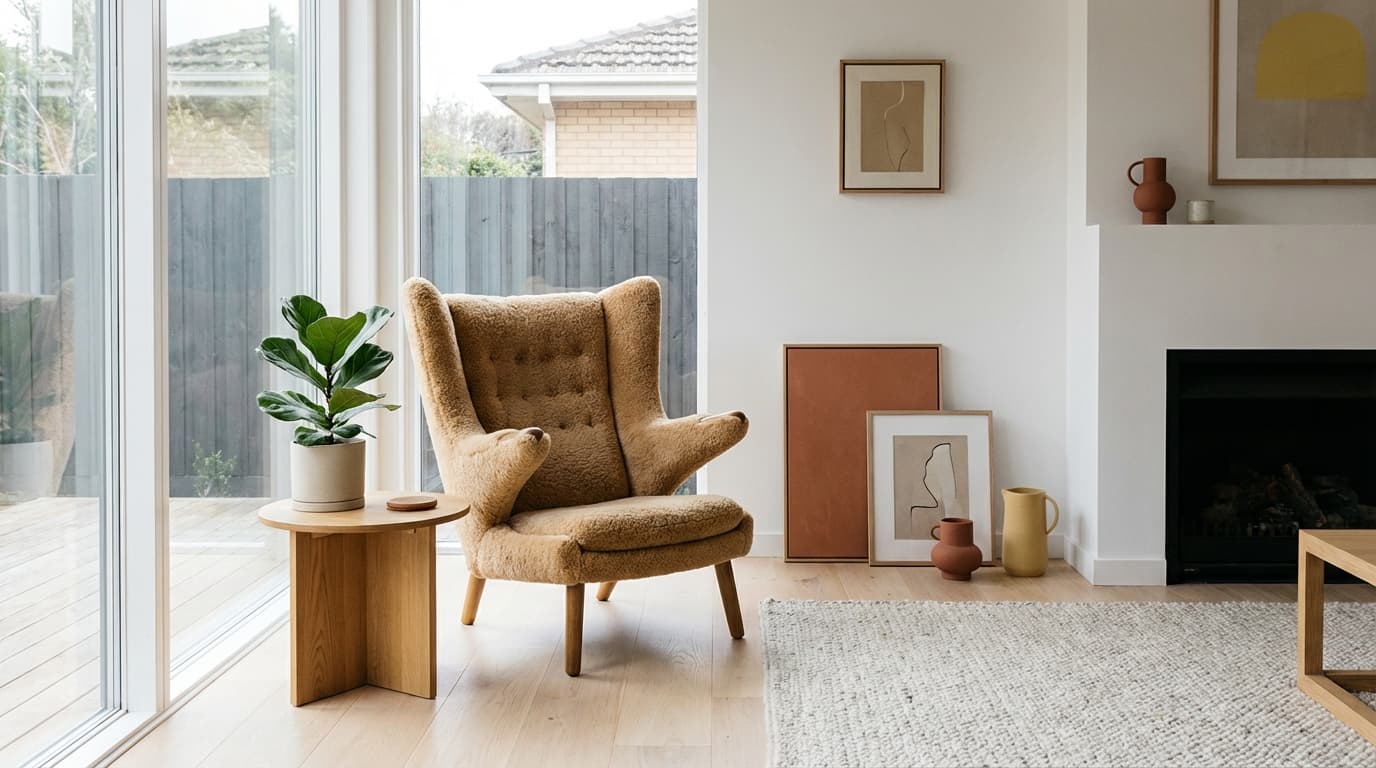
AI scene generation solves furniture's hardest photography problem: it takes a single plain product photo and places that same item in fully styled room contexts in minutes, so every product can show room-scale context without building a set. Furniture has the toughest photography logistics in e-commerce. You can't bring a sofa to a studio easily, you can't style a full room for every product variant, and customers won't buy a couch they can't visualize in their living room.
This is where AI scene generation shines. A single product photo of a chair on a warehouse floor can become that same chair styled in a Scandinavian living room, a cozy reading nook, or a modern office — all in minutes.
Why Room Context Matters for Furniture
Furniture is never used in isolation. A dining table exists in the context of a dining room, chairs, tableware, and lighting. Customers need to see:
- Scale — How big is it relative to a room?
- Style compatibility — Does it match my aesthetic?
- Color in context — Does the wood tone work with my floors?
- Functionality — How does it look in actual use (a desk with a laptop, a bed with linens)?
Product-only photos on white backgrounds answer none of these questions. Room scenes answer all of them.
The AI Furniture Photography Workflow
Step 1: Capture the product
The best furniture product photos for AI processing:
- Shoot from a three-quarter angle — Shows depth and dimension
- Use neutral, even lighting — Avoid strong shadows that bake in a specific light direction
- Include the full product — No cropped legs or cut-off corners
- Clean background — Warehouse floor is fine, a cluttered showroom is not
Step 2: Remove the background
Run every product image through Remove Background. Furniture with complex legs or open shelving needs careful edge checking — zoom in and verify the cutout is clean.
Step 3: Generate room scenes
Use Recreate to place the furniture in room contexts. For each major product, generate 3-5 room variants:
Living room furniture (sofas, chairs, coffee tables): - Modern minimalist living room with neutral tones - Cozy, warm living room with textured rugs and throws - Bright, airy space with large windows and natural light
Bedroom furniture (beds, nightstands, dressers): - Clean, hotel-like bedroom with white linens - Warm, layered bedroom with earth tones - Small apartment bedroom showing space efficiency
Office furniture (desks, chairs, shelving): - Home office with natural light and plants - Professional office with clean lines - Creative studio with personality
Dining furniture: - Set dining table with tableware and candles - Casual breakfast scene with morning light - Dinner party atmosphere with warm lighting
Step 4: Relight for consistency
Different room scenes have different lighting conditions. Use Relight to ensure your product's lighting matches each room naturally. A product with cool, flat lighting placed in a warm, sunset-lit room will look composited rather than real.
Step 5: Generate multiple angles
For key products, use Multiple Angles to create front, side, and back views. Then run each angle through the same room scenes for a complete visual catalog.
Handling Common Furniture Challenges
Large-scale products
Sofas, beds, and dining tables are big. The AI needs to understand the product's scale relative to the room. Include scale cues in your prompt: "full-size three-seater sofa in a spacious living room" rather than just "sofa in living room."
Material accuracy
Wood grain, fabric texture, leather patina, and metal finishes define furniture quality. Tips for maintaining accuracy:
- Use high-resolution source images that clearly show the material
- Mention materials explicitly in prompts: "walnut veneer with visible grain," "bouclé fabric in cream"
- Upscale the final output with Upscale to preserve material detail at zoom levels
Color variants
Most furniture comes in multiple finishes. Rather than photographing every variant:
- Shoot one variant well
- Use Create with a prompt specifying the alternate finish
- Maintain the same room scene for easy comparison
Modular and configurable furniture
Sectional sofas, modular shelving, and configurable desks present unique challenges. Show the most popular configuration as the hero image, then use AI to generate 2-3 alternate configurations in the same room setting.
Room Style Library
Build a library of room scene images organized by style:
- Scandinavian — White walls, light wood, minimal decor, plants
- Mid-century modern — Warm wood, clean lines, statement lighting, organic shapes
- Industrial — Exposed brick, metal accents, dark tones, concrete
- Coastal — White and blue palette, natural textures, airy and bright
- Bohemian — Layered textures, warm colors, plants, eclectic accessories
- Contemporary — Neutral palette, sleek lines, statement art, polished finishes
Having pre-selected room scenes by style means you can process new furniture products through your pipeline quickly — just match the product to its natural style category and generate.
Marketplace and Platform Considerations
- Amazon — First image must be product-only on white. Use room scenes for secondary images (images 2-7).
- Wayfair — Room scenes are expected and often required. Multiple room contexts improve conversion.
- Shopify / DTC — Mix product-only and room scenes. Use room scenes for homepage and collection banners, product-only for comparison views.
For more on scene placement techniques, see our guide on AI scene placement for product photos.