
Product Photo Shot List for Higher-Converting Product Pages
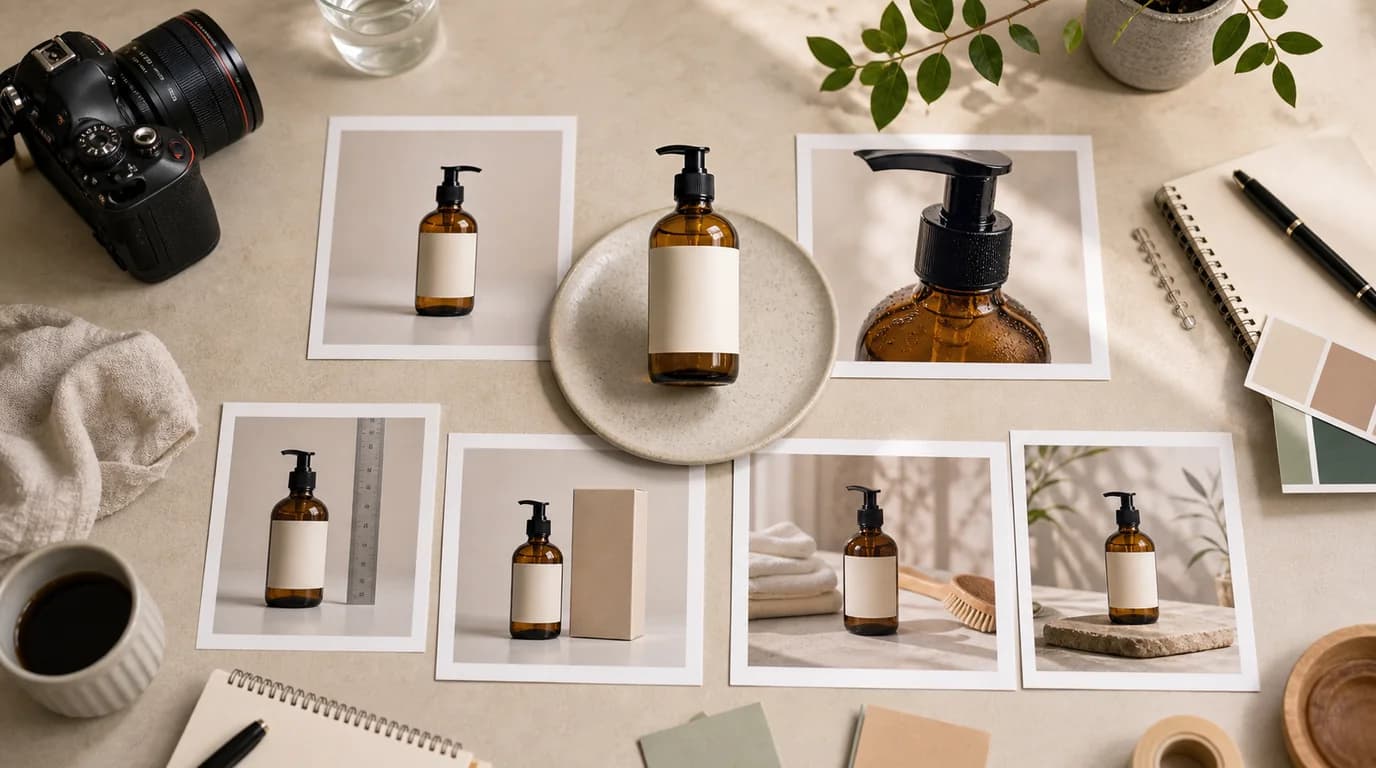
A product photo shot list is a checklist of the buyer objections your page must answer before a shopper feels ready to buy — not a list of pretty angles. Build it around the decisions the shopper is making: What is it? How big is it? What texture does it have? What comes in the box? What happens when I use it? Planning each image against one of those questions is the fastest way to make product photos feel operational instead of templated.
Start with buyer questions
Before opening a camera app or generating a scene in GESTEL, write the questions the product page must resolve.
For most ecommerce products, the list looks like this:
- What does the item look like from the front, side, and back?
- What material, finish, or texture should the buyer notice?
- How large is it compared with a hand, table, bag, or shelf?
- What variations are available?
- What is included and what is not included?
- Which detail reduces returns or support questions?
- Which image should make the first click happen?
If an image does not answer one of those questions, it belongs lower on the page or outside the product page entirely.
Build the sequence, not just the assets
A useful shot list has order. The hero image earns attention. The next two images confirm the product. The middle images handle proof and detail. The final images remove uncertainty.
Use this sequence as a working draft:
- Clean hero image with the exact product and strongest selling angle.
- Alternate angle that confirms shape and depth.
- In-use image that shows the product in a realistic setting.
- Scale image with a familiar object or body reference.
- Texture or detail close-up.
- Package, set contents, or bundle image.
- Variant or SKU comparison.
- Final reassurance image, such as fit, care, compatibility, or storage.
Generate or edit only the missing pieces. If the existing hero is strong, keep it and use /edit/remove-bg or /edit/upscale to clean it. If the product page lacks context, create lifestyle or scale images in /create.
Name files for review
Avoid filenames like final-1 or new-main. Use names that show purpose and status:
- sku123-01-hero-clean-v01
- sku123-02-angle-side-v01
- sku123-04-scale-hand-v02
- sku123-06-box-contents-approved
This makes review faster because the team can discuss the page order instead of hunting for files.
Set crop rules before production
Decide the crop before anyone starts generating. A shot list is much easier to execute when every role has a frame rule.
- Hero: product centered or slightly weighted toward the natural facing direction, no important edge cropped.
- Angle: enough side visibility to show depth without hiding the front identity.
- Scale: reference object fully visible, product not enlarged to dominate the comparison.
- Detail: crop tight enough to show texture but loose enough to prove which part of the product it is.
- Contents: all included items separated, not stacked unless they ship that way.
For marketplaces that crop square thumbnails from a larger image, keep the product and label inside the center-safe area. If the crop has to work on mobile, test it before upscaling. A beautiful wide composition can fail when the gallery turns it into a tight square.
What to generate
Good AI generation tasks are specific and constrained:
- Product on a matte kitchen counter, front label visible, soft morning light.
- Hand holding the bottle at chest height, product size clear, no extra text.
- Open package layout with product, charger, manual, and strap arranged neatly.
- Close-up of woven texture, same color as source photo, no invented stitching.
Bad tasks are broad:
- Make it premium.
- Create ecommerce photos.
- Make many variations.
Broad prompts produce reusable-looking images. Specific prompts produce operational assets.
Review before publishing
Check every image at thumbnail size and at full product-page size. The thumbnail check catches weak silhouettes. The large view catches label mistakes, distorted edges, fake accessories, and texture drift.
Use a simple review pass:
- Product identity is unchanged.
- Logo and label are readable if they matter.
- No extra accessories imply a false bundle.
- Scale reference is believable.
- Lighting and background match the brand.
- Page order answers buyer questions in a natural sequence.
For broader workflow planning, pair this checklist with /blog/ai-image-workflow-ecommerce. If you are testing hero options, use the image order from this shot list as the baseline before running ideas from /blog/ab-testing-product-photos-ai.