
AI Model Photography for E-Commerce: On-Model Shots Without a Photoshoot
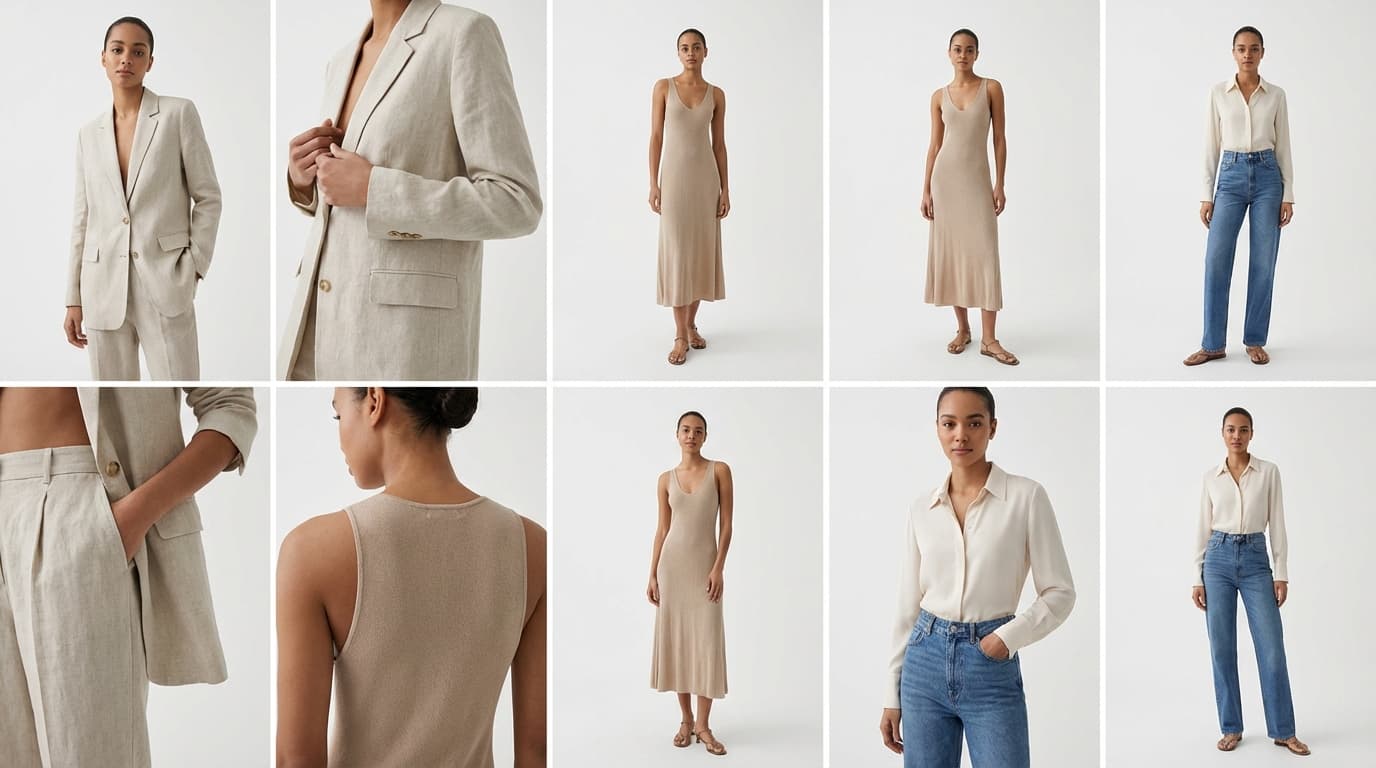
AI model photography generates on-model product imagery from reference images alone: you supply a product photo plus model, outfit, and pose references, and the AI produces a cohesive on-model shot with no casting, studio, or photoshoot. On-model photography is the gold standard for selling fashion, accessories, and beauty products online because seeing a product worn or used by a person helps customers gauge fit, scale, and style. The catch with the traditional route is that model shoots are among the most expensive and complex types of product photography.
The Cost of Traditional Model Shoots
A typical on-model photoshoot involves:
- Model casting and fees — $200-$2,000+ per model per day
- Studio rental — $500-$2,000 per day
- Photographer and assistants — $1,000-$5,000 per day
- Hair and makeup — $300-$800 per model
- Post-production — Retouching, color correction, cropping
For a fashion brand with 100+ SKUs refreshed seasonally, the annual photography budget can easily reach six figures. Smaller brands often skip on-model shots entirely, hurting their conversion rates.
How AI On-Model Generation Works
GESTEL's Create tool generates on-model product imagery from reference images. You provide:
- Product image — The item you want shown on a model
- Model reference — A photo of the type of model you want (or let the AI choose)
- Outfit reference — How the model should be styled
- Pose reference — The body position and stance you want
The AI combines these references into a cohesive on-model product photo. You can generate multiple variations — different models, poses, and styling — from the same product image.
Choosing Good Reference Images
The quality of your output depends on your references:
Product image Use a flat-lay or mannequin shot with the product clearly visible. Wrinkled, bunched, or partially obscured products produce weaker results. A [background-removed](/edit/remove-bg) product photo works well.
Model reference Choose photos that represent your target customer demographic. The AI works best with clear, well-lit photos where the model's build and features are clearly visible.
Pose reference Action poses and extreme angles are harder for the AI to replicate accurately. Start with standard e-commerce poses — standing front, standing three-quarter, seated — and experiment from there.
Maintaining Brand Consistency
When generating on-model images across a collection, consistency matters:
- Use the same model reference across product lines for a cohesive catalog look
- Standardize your pose set — Pick 2-3 poses and use them for every product
- Keep lighting and background consistent — Use the same prompt keywords for setting and lighting across generations. For prompt optimization tips, see our prompting guide.
- Post-process uniformly — Run all outputs through the same relighting preset to normalize illumination
Ethics and Transparency
AI-generated model imagery raises important considerations:
- Diversity and representation — AI makes it easy to show products on a diverse range of body types, ages, and ethnicities. Use this capability responsibly to represent your actual customer base.
- Realistic body representation — Avoid using AI to create unrealistic body proportions. Set reference images that reflect real human bodies.
- Disclosure — Some marketplaces and jurisdictions are developing guidelines around disclosing AI-generated imagery. Stay informed about requirements in your market and be transparent with customers when images are AI-generated.
- Model consent — Only use model reference images you have rights to. Stock photos with appropriate licenses or your own photos are safe choices.
Getting Started
Start with a single product and experiment with different model, pose, and style references using Create. Compare the results against your existing on-model photography (if you have it) to calibrate quality expectations. Once satisfied, build a reference library of model, pose, and style images that you reuse across your catalog.