
AI Bag and Wallet Photography: Scale, Structure, and Hardware Matter
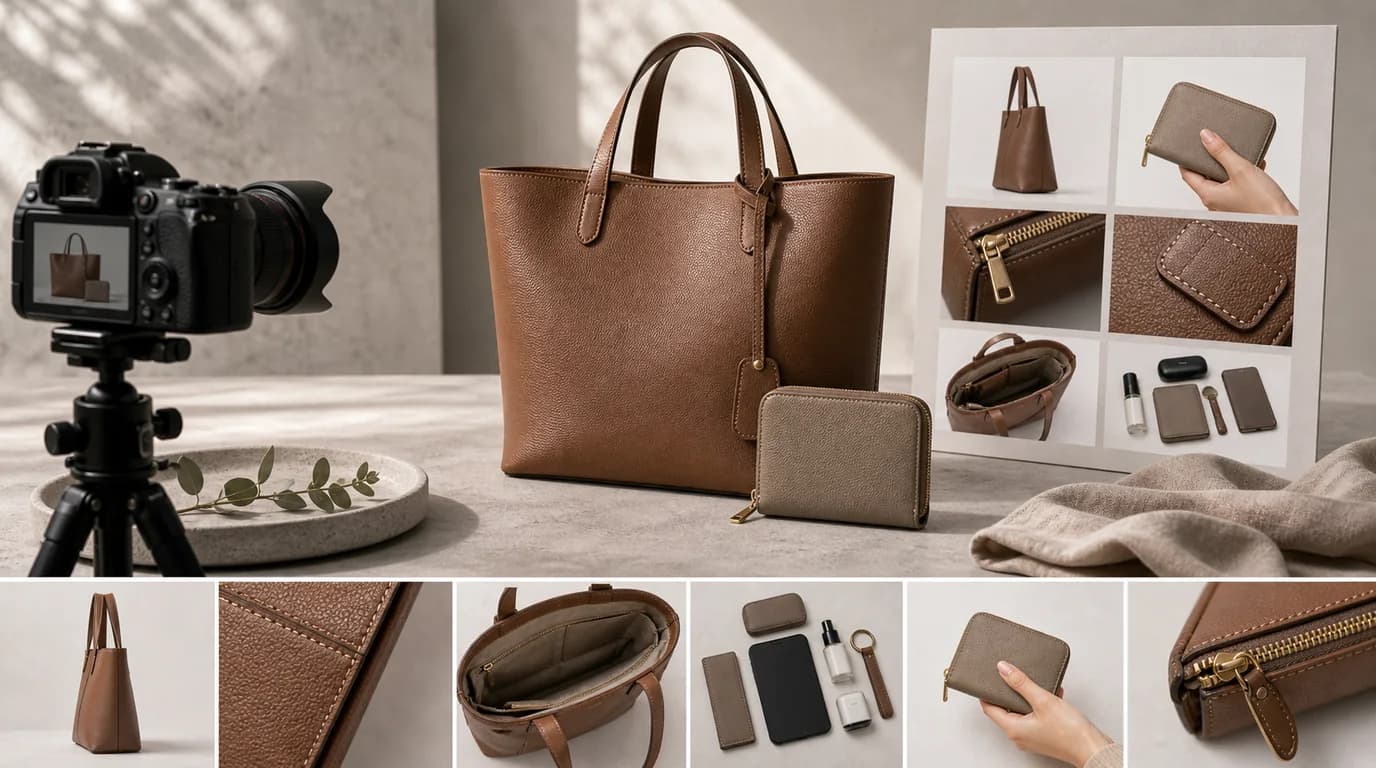
The most important job in AI bag and wallet photography is making scale, structure, and hardware unmistakable: show the piece beside a real reference object, open the interior so compartments read clearly, and shoot closures and straps in close-up. Bags and wallets fail online when scale is unclear — a tote can look elegant until the buyer realizes it is too small for a laptop, and a wallet can look slim until the card slots are hidden.
AI product photography can add lifestyle value, but the image set still has to answer practical questions about carrying, storing, opening, and wearing.
What shoppers inspect
For bags, buyers look at dimensions, handle drop, strap length, base structure, closure type, hardware color, lining, pockets, and whether the product stands on its own. For wallets, they check card slots, bill compartments, coin pocket, zipper, snap, thickness, and edge finishing.
Show scale deliberately
Scale should not be guessed from an empty studio image. Use a hand, shoulder, chair, laptop, notebook, phone, passport, or card stack. Choose references that match the actual use. A mini bag beside a large sofa can look misleading; a laptop tote beside a laptop is clearer.
Shot list for bags and wallets
- Front and back view with straps visible
- Side view showing depth
- Open interior with compartments and lining
- Hardware close-up for zipper, clasp, buckle, feet, or chain
- Material detail for leather grain, canvas weave, quilting, or stitching
- Worn view for shoulder, crossbody, hand carry, or waist placement
- Packing view with realistic daily items
- Wallet open view with cards partially inserted
GESTEL usage guidance
Upload images that show the full outline and one interior or detail view if available. In GESTEL, use prompts that preserve structure: structured tote on a desk, soft leather hobo on a chair, compact wallet beside a phone, travel pouch on a hotel table. Ask for realistic shadows under the base so the bag does not float.
For wallets, avoid overfilling scenes with cards or cash unless that capacity is real. For bags, inspect handles and straps; AI can accidentally duplicate straps, change chain links, or make buckles impossible.
Separate capacity proof from style proof. A packing image should use believable objects: a 13-inch laptop only if it truly fits, a passport only if the pocket is sized for it, a water bottle only if the bag can close with it inside. A style image can be cleaner, but it should not be the only place where the shopper sees the strap drop or body scale.
Styling without confusion
Luxury bags can use stone, wood, linen, or gallery-like studio light. Everyday bags often benefit from office, commute, cafe, or packing scenes. Outdoor bags need durable surfaces and clear hardware. Wallets should stay close enough to read construction details.
Final checklist
Can a shopper understand size in three seconds? Can they see how it opens? Is the hardware the right color? Does the strap length look plausible? Does the image imply a laptop, camera, or travel capacity the bag does not have? Answer those before publishing.