
AI Relighting: How to Fix Bad Product Lighting Without Reshooting
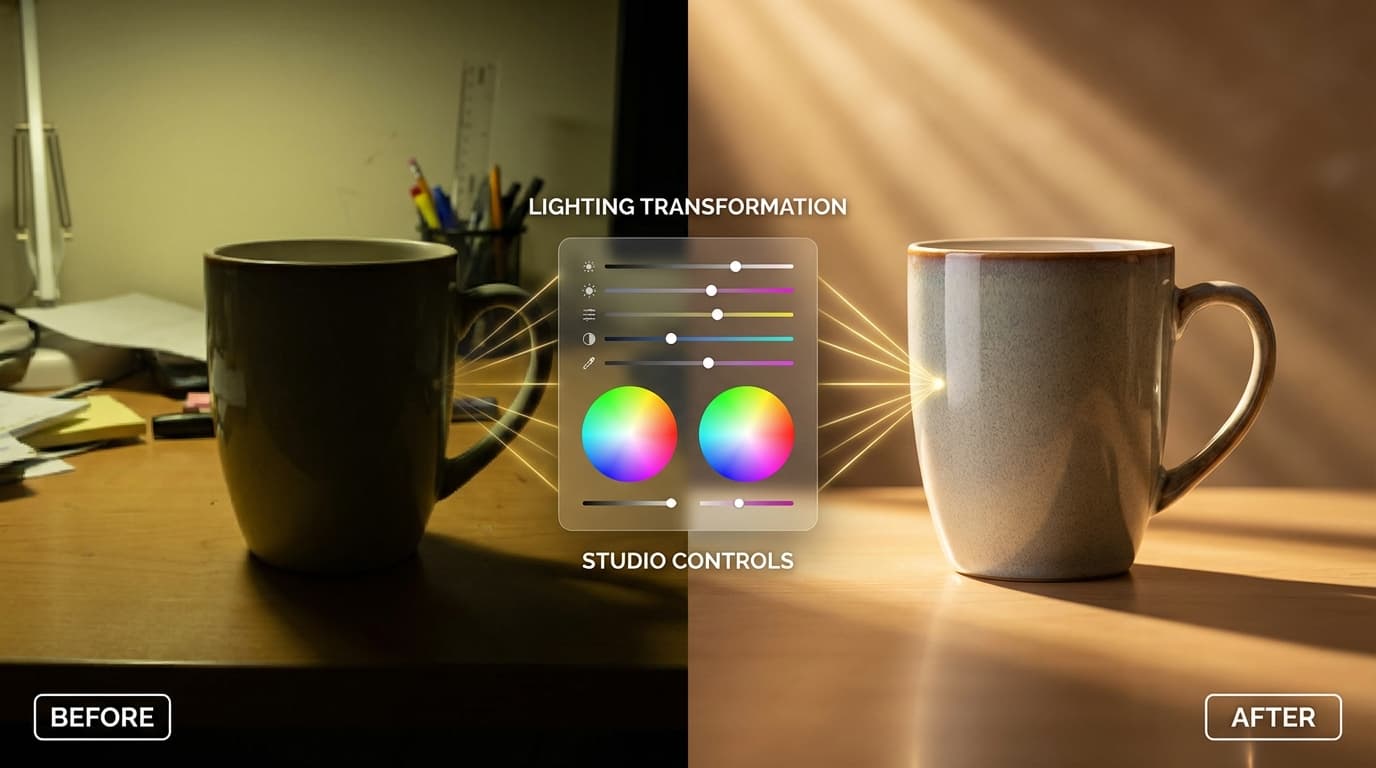
AI relighting lets you fix bad product lighting after the shot without reshooting: it analyzes the product's geometry and materials, then re-renders light direction, quality, and intensity as if the photo had been taken under different conditions. Lighting makes or breaks a product photo — harsh shadows, flat illumination, or the wrong color temperature can make a premium product look cheap. Traditionally, fixing that means reshooting; AI relighting offers a faster alternative.
The Lighting Problem in E-Commerce
Most product photos are taken in imperfect conditions. Internal teams shoot on phones under office lighting. Suppliers send images lit by warehouse fluorescents. Even professional shoots sometimes miss the mark — a reflective product catches an unwanted glare, or soft goods look flat under diffused light.
The result is inconsistent product imagery across a catalog, which erodes brand perception and reduces conversions.
How AI Relighting Works
AI relighting analyzes the geometry and materials of a product in a photo, then re-renders the lighting as if the photo had been taken under different conditions. You control:
- Light direction — Front, side, rim (back edge), or overhead
- Light quality — Soft and diffused (like an overcast day) or harsh and directional (like a spotlight)
- Intensity — From subtle fill light to dramatic studio lighting
With GESTEL's Relight tool, you upload a product photo and select your preferred lighting setup. The AI generates a new version with the updated lighting in seconds.
Best Lighting Setups by Product Category
Different products look best under different lighting:
Skincare and beauty **Soft, diffused front lighting.** Beauty products need even illumination that shows color accurately and minimizes harsh reflections on glossy packaging. Think overcast daylight or a large softbox.
Jewelry and watches **Side lighting with controlled highlights.** Hard side light creates the sparkle and dimension that makes jewelry look expensive. Rim lighting adds edge definition to metal bands and settings.
Electronics **Rim lighting with soft fill.** A subtle backlight separates dark products (phones, laptops) from dark backgrounds and adds a premium halo effect. Soft front fill keeps details visible.
Textiles and apparel **Overhead soft light.** Fabric needs even lighting that reveals texture without creating deep shadows in folds. Overhead diffused light mimics a studio scrim setup.
Food and beverage **Side lighting for depth.** Side light creates shadows that give food dimension and makes beverages glow. Harsh direct light can work for dramatic effect, but soft side light is more versatile.
When to Relight vs. Reshoot
AI relighting is excellent for: - Fixing inconsistent lighting across a catalog - Trying different lighting styles without a studio - Quick corrections to supplier-provided images - Creating multiple lighting variations from one photo
Reshoot when: - The original photo is severely underexposed or overexposed - You need to capture fine material details that the AI hasn't seen (e.g., a new texture) - The product itself needs to be repositioned or styled differently
Combining Relighting with Other Tools
Relighting pairs well with background removal. Remove the original background first to eliminate environmental lighting cues, then relight the isolated product. This gives you a clean product image with precisely controlled lighting that you can then place into any scene with Recreate or drop onto a solid background for marketplace listings.
For more on building a complete post-processing pipeline, see our guide on the complete AI image workflow for e-commerce.