
WebP and AVIF for Product Images: A Practical Optimization Pipeline
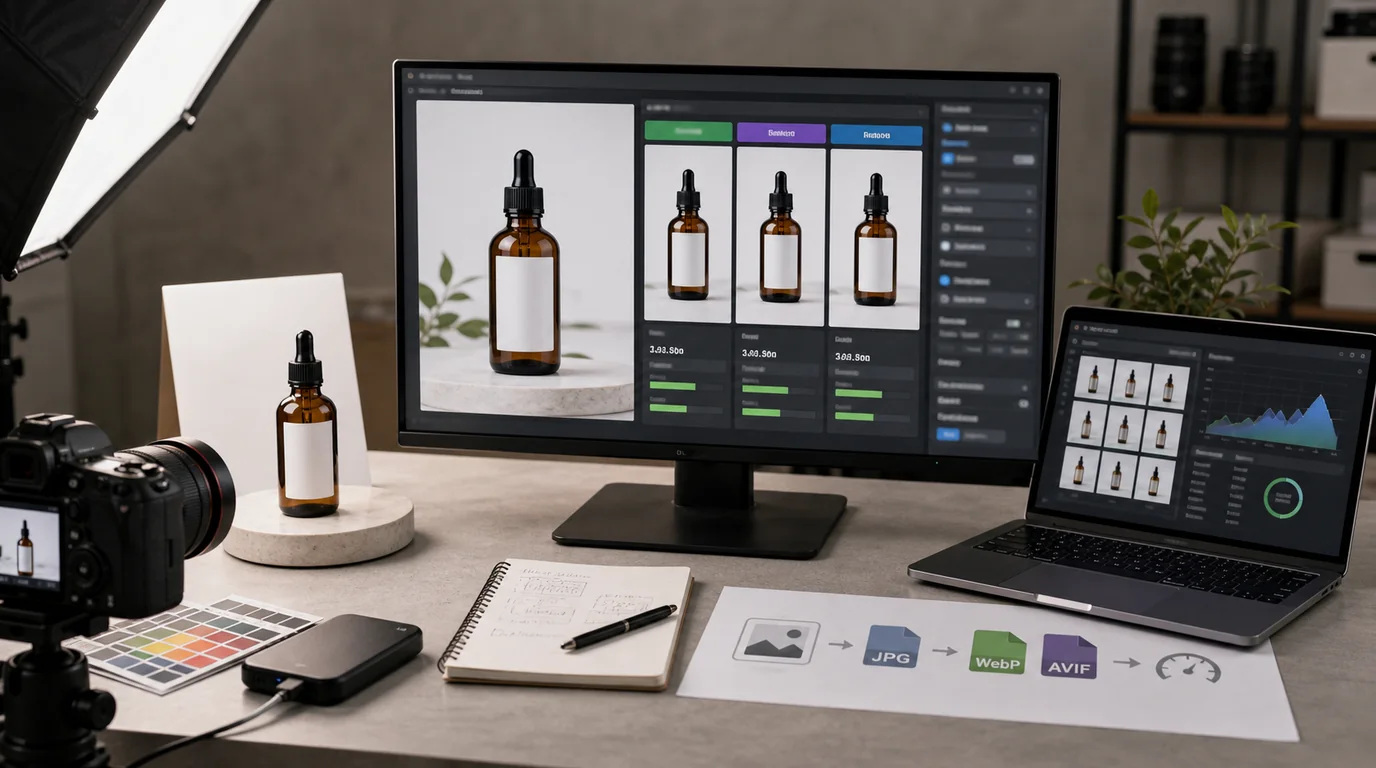
Keep a clean high-quality source, then generate AVIF for modern browsers where quality checks pass and WebP as a dependable fallback, serving the smallest trustworthy image for each viewing context. WebP and AVIF only help inside a deliberate pipeline. For ecommerce, image optimization is not just a performance task, it is a trust task: if images load slowly, shoppers hesitate; if compression damages texture or color, shoppers doubt the product; and if the pipeline is inconsistent, teams waste time fixing the same problem over and over.
WebP and AVIF can help, but only when they are part of a deliberate image pipeline.
Keep the original source sacred
Do not treat WebP or AVIF as the master asset. Keep a high-quality source file for editing, cropping, and future formats.
The source should preserve:
- Accurate product color.
- Enough resolution for future crops.
- Clean edges and shadows.
- Labels, packaging, and fine details.
- A clear relationship to the product variant.
From that source, generate delivery formats for the web.
Understand the format roles
WebP is widely supported and usually gives strong compression with good visual quality. AVIF can often create smaller files at similar quality, but encoding can be slower and visual results need review, especially for gradients, fine texture, and sharp product edges.
A practical delivery strategy:
- Keep original source assets in a high-quality format.
- Generate AVIF for modern browsers where quality checks pass.
- Generate WebP as a reliable fallback.
- Use JPEG or PNG only when needed for compatibility, transparency, or legacy workflows.
The goal is not to use the newest format everywhere. The goal is to deliver the smallest trustworthy image for the viewing context.
Optimize by image role
Not all product images deserve the same settings.
Product grid thumbnails
Grid images need fast scanning. They can often be smaller and more compressed, but the product silhouette and color must remain clear.
Prioritize:
- Consistent dimensions.
- Stable cropping.
- Small file size.
- Clear product edges.
Product detail hero images
Hero images carry more trust. Compression artifacts on fabric, leather, glass, labels, or skin can hurt confidence.
Prioritize:
- Accurate color.
- Smooth gradients.
- Clean text and labels.
- Enough resolution for zoom or high-density screens.
Detail and texture images
These images need careful review. Overcompression can erase the very information the image exists to show.
Prioritize:
- Texture fidelity.
- Edge clarity.
- No smearing.
- Natural shadow transitions.
Build a pipeline, not a one-off export
A useful product image pipeline includes:
- Source asset storage.
- Variant naming rules.
- Cropping presets by page type.
- Format generation.
- Quality review.
- Delivery through responsive image sizes.
- Periodic audit of large or unused images.
If the team exports images manually each time, quality will drift. A pipeline reduces subjective decisions and makes improvement repeatable.
Quality review is part of optimization
Smaller is not always better. An image that saves 40 KB but makes the product look cheap is a bad trade.
Review optimized images for:
- Color shift between source and web version.
- Banding in shadows or gradients.
- Blurred labels or packaging text.
- Distorted transparent edges.
- Loss of fabric, grain, or surface texture.
- Over-sharpened outlines.
This review should happen on real page backgrounds, not only in an isolated image viewer.
Set budgets by role, then inspect by eye
Avoid one universal file-size rule. A thumbnail and a zoomable fabric detail do not carry the same trust burden.
Practical starting budgets:
- Collection thumbnail: smallest file that preserves silhouette and variant color.
- Product hero: large enough for high-density mobile screens without visible compression damage.
- Detail image: prioritize texture and label readability over aggressive compression.
- Lifestyle image: compress more than detail images, but keep scale cues and product edges clean.
- Blog image: size for the content column, not the original generation size.
- Open graph image: export separately instead of reusing a huge product hero.
Use budgets as alarms, not as automatic pass or fail. If a 90 KB detail image destroys leather grain and a 150 KB version preserves it, the larger file may be the better ecommerce choice. If a 600 KB lifestyle image sits below the fold, it probably needs resizing or deferred loading.
Responsive sizes matter as much as formats
Serving AVIF does not help much if the browser downloads a huge image for a small card. Product image optimization needs size selection too.
For each image role, define target display sizes:
- Thumbnail.
- Collection card.
- Product detail hero.
- Zoom or gallery image.
- Blog or guide image.
- Open graph or social preview image.
Then make sure the page can request the right size for the layout. A good format with the wrong dimensions is still wasteful.
SEO impact is indirect but real
Fast, stable image loading can improve user experience. Product images that appear quickly and clearly help visitors evaluate the page. That can support search performance indirectly because the page better satisfies intent.
Avoid exaggerated claims. WebP or AVIF alone will not rescue thin content, weak product pages, or confusing merchandising. Format optimization is one part of a bigger page quality system.
For the Core Web Vitals side of the problem, see product images and Core Web Vitals.
Migration without breaking the catalog
If you already have a large image library, do not convert everything blindly.
Use this migration order:
- Identify high-traffic product pages and collection pages.
- Find the largest images above the fold.
- Generate modern formats from clean source assets.
- Compare visual quality against the current version.
- Release with fallback formats.
- Monitor page performance and visual issues.
- Expand to lower-traffic pages after the process is stable.
This avoids spending weeks optimizing images no one sees while the most important pages remain slow.
Governance for new images
Once the pipeline is fixed, prevent regression.
Set rules for:
- Maximum upload dimensions.
- Accepted source formats.
- Required image roles.
- Naming conventions.
- Compression review thresholds.
- Who approves trust-sensitive images.
For AI-generated or AI-assisted images, add an accuracy check before optimization. A perfectly compressed inaccurate product image is still a problem.
The practical standard
Use AVIF when it gives a smaller file without visible trust damage. Use WebP as a dependable modern baseline. Keep source assets clean and reusable. Serve the right dimensions for the page. Review quality with the product buyer in mind.
Optimization is not about winning a format debate. It is about making product pages load fast while keeping the image believable enough to buy from.