
White Background vs Lifestyle Product Photos: A Trust and SEO Decision Framework
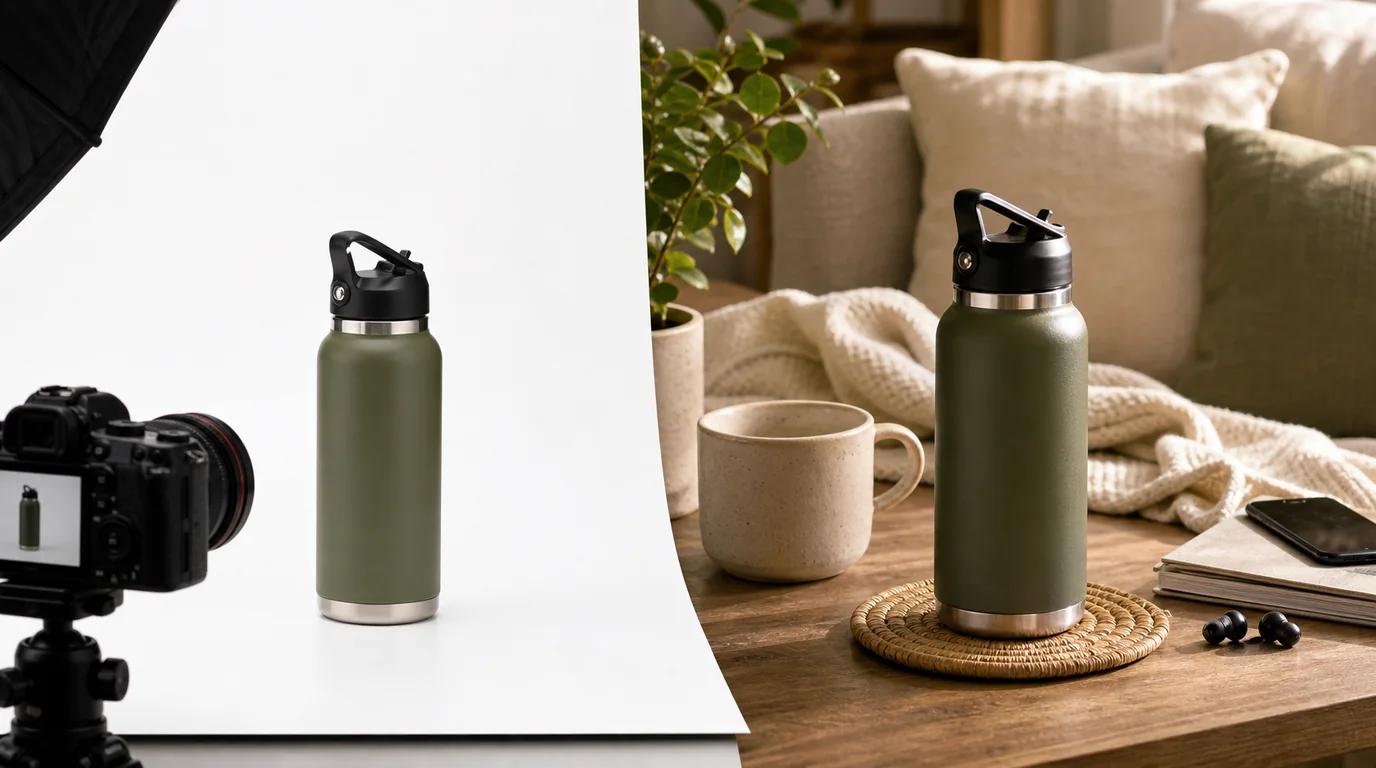
Choose white backgrounds when clarity, comparison, and feed compatibility matter most, and lifestyle photos when scale, use case, and emotional confidence matter most. Most products need both in a deliberate sequence rather than one winning style. Product photo advice often turns this into a false choice between conversion and brand, but in practice each image can help or hurt depending on the page, the buyer's question, and the level of trust the image needs to create.
The better question is not which style is more professional. It is which visual answers the next doubt in the shopper's mind.
Start with the page job
Different pages carry different trust burdens.
Category and collection pages
On a collection page, shoppers compare fast. White or very simple backgrounds usually perform well because they reduce visual noise. The product shape, color, price, and variation are easier to scan.
Lifestyle images can still work here, but only when the use case is the differentiator. A ceramic mug collection may benefit from clean cutouts. A hiking backpack collection may need one image that quickly shows scale on a person.
Use a simple rule:
- If shoppers are comparing specifications, use cleaner product-first images.
- If shoppers are comparing imagined use, include lifestyle context.
- If shoppers need both, keep the first image clean and add context in secondary images.
Product detail pages
The product page has more room to build confidence. A white background image can establish exactly what is included. Lifestyle photos can answer size, texture, fit, and social context.
A strong product page usually needs both:
- A clear primary image that removes ambiguity.
- Detail images that show material, finish, edges, packaging, and included parts.
- Lifestyle images that prove scale and use.
- Optional comparison images that show variants or bundles.
For a deeper quality review process, pair this decision with the AI product photo quality checklist.
Search intent matters more than image style
Search visitors often arrive with a narrower question than social visitors. Someone searching for "black leather card holder" is likely evaluating exact appearance, size, and legitimacy. Someone searching for "minimalist desk setup ideas" may expect context and mood.
Map the image style to intent:
- Exact product query: prioritize clear product images.
- Use case query: include lifestyle context early.
- Gift query: show packaging, scale, and emotional fit.
- Comparison query: keep angles and backgrounds consistent.
- Brand discovery query: use mood, but keep the product identifiable.
This is also why keyword stuffing in image names or alt text is a distraction. The bigger SEO win is a page that satisfies the visitor's intent, loads quickly, and makes the product easy to understand.
The trust tradeoff
White backgrounds create trust through clarity. Lifestyle photos create trust through believability.
White background photos are strongest when they:
- Show the actual product without props hiding details.
- Keep color and shape consistent across variants.
- Make the image easy to crop for marketplaces and feeds.
- Reduce cognitive load on dense shopping pages.
Lifestyle photos are strongest when they:
- Show scale against a hand, body, room, or surface.
- Make a premium price feel grounded in use.
- Clarify who the product is for.
- Help shoppers imagine ownership without exaggerating what is included.
The risk is different for each. White backgrounds can feel sterile or commoditized. Lifestyle photos can feel misleading if props, lighting, or heavy editing make the product look better than it is.
A practical image mix
For most ecommerce product pages, start with this sequence:
- Clean hero image.
- Alternate angle on the same background.
- Detail or texture close-up.
- Lifestyle image showing scale.
- Packaging or in-the-box image.
- Variant or comparison image if relevant.
For apparel, fit and model context may need to move earlier. For furniture, room scale matters quickly. For cosmetics, texture and shade accuracy deserve priority.
The point is not to make every product page identical. The point is to answer doubt in a useful order.
Production rules for the first five images
Turn the image mix into a repeatable production brief before opening GESTEL or sending work to a photographer.
- Image 1: product isolated, full item visible, no prop touching the product edge.
- Image 2: same crop ratio and lighting, different angle or open/closed state.
- Image 3: one detail only, such as stitching, texture, cap, clasp, label, or connector.
- Image 4: one scale cue, such as hand, body, table, shelf, bag, or room.
- Image 5: packaging, bundle contents, or what arrives in the box.
Keep the file names aligned with that order. A useful pattern is product-variant-role-view, for example card-holder-black-hero-front, card-holder-black-detail-stitching, and card-holder-black-lifestyle-cafe-table. Alt text should describe the visible buying information, not repeat the title tag. The hero might use Black leather card holder with front pocket on a white background. The lifestyle image might use Black leather card holder next to keys and a phone on a cafe table.
Also decide where each image will load. The first image is usually a priority image. Later lifestyle and packaging images can be deferred as long as the gallery does not feel broken. A strong visual sequence loses value if the first image is slow or if variant swaps shift the layout.
How to decide before a shoot or AI generation
Ask five questions before producing images:
- What detail would make a shopper hesitate?
- Is the product's value obvious without context?
- Does size matter to purchase confidence?
- Are color and material accuracy critical?
- Will this image appear in a dense grid, a product page, an ad, or a blog article?
If the image is for a dense grid, simplify. If it is for a buying decision, clarify. If it is for brand storytelling, add context without hiding the product.
Where AI product photos fit
AI-generated product photography can help create consistent backgrounds, seasonal context, and campaign variations. It is most useful when the product itself remains accurate and the background supports the purchase decision.
Use AI for:
- Background variations.
- Lifestyle settings that show use case.
- Mood exploration before a shoot.
- Localized campaign visuals.
Avoid using AI to:
- Invent product features.
- Change proportions, texture, or included accessories.
- Create use cases the product cannot actually support.
- Hide flaws that customers will discover after delivery.
Trust is not built by making a product look perfect. It is built by making the product easy to understand before money changes hands.
The final decision framework
Choose white background images when clarity, comparison, and feed compatibility matter most.
Choose lifestyle images when scale, use case, and emotional confidence matter most.
Use both when the product has a real buying journey. Most do.
The strongest product image strategy is not white versus lifestyle. It is a deliberate sequence: show what it is, prove what it includes, demonstrate how it fits into life, and make the page fast enough that people can actually see it.