
Avoiding Product Distortion in AI Product Images
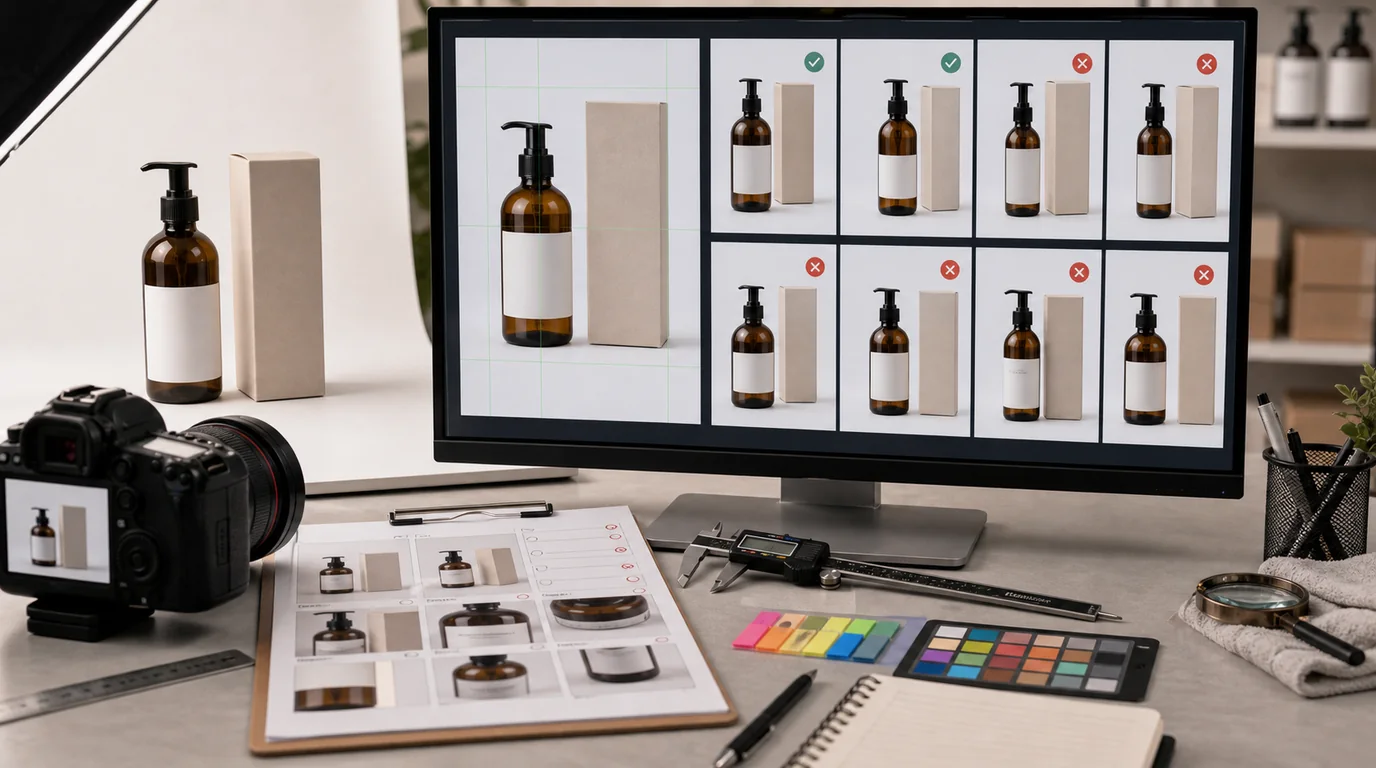
You avoid product distortion in AI images with a review workflow that treats shape as a hard requirement, not with better prompting alone. Distortion is easy to miss because the image can still look polished: a bottle becomes slightly taller, a handle bends, a zipper line moves, a lid no longer fits. These errors damage trust because they change the product itself.
The fix is not only better prompting. It is a review workflow that treats shape as a requirement.
Identify distortion-sensitive parts
Before generating or editing, list the parts that must remain structurally correct:
- Outer silhouette.
- Corners and edges.
- Openings, lids, caps, pumps, handles, straps, zippers, buttons, ports, seams.
- Symmetry lines.
- Label boundaries.
- Product thickness.
- Repeating elements such as holes, stitches, ribs, or grooves.
Some products are more sensitive than others. Furniture, electronics, bags, bottles, footwear, jewelry, tools, and packaging usually need stricter shape review than soft lifestyle props.
Keep the camera decision simple
Extreme perspective invites distortion. For product-page assets, use controlled angles:
- Front view for labels and symmetry.
- Three-quarter view for depth.
- Side view for thickness.
- Top-down view for contents and flat lays.
Avoid dramatic wide-angle prompts unless the image is clearly editorial and not used to explain product shape. If a buyer relies on the image to understand fit, function, or compatibility, keep perspective calm.
Use a reference overlay when the shape matters
For distortion-sensitive SKUs, keep the approved source image visible during review and compare the generated result against it. You do not need a complex tool. Even a side-by-side view helps catch changes in height, corner radius, handle angle, cap width, or seam position.
For high-risk products, add a simple overlay rule:
- Outer silhouette should match the source.
- Functional openings should stay in the same relative position.
- Repeating elements should keep the same count.
- Product thickness should not shrink to look sleeker.
If the generated image needs a different angle, compare it to the closest matching approved angle rather than trusting the new scene alone.
Prompt for unchanged structure
In /create, tell the model what must not change:
- Preserve exact product proportions from the source.
- Keep the cap centered and cylindrical.
- Do not bend the handle or change opening size.
- Keep zipper straight and aligned with the top edge.
- Preserve the same number of buttons and ports.
- Keep package corners square and label edges flat.
If the existing product is accurate and only the background is weak, use /edit/remove-bg instead of regenerating the whole object. If detail is soft, use /edit/upscale after shape approval.
Review with a mirror check
Look at the image normally, then flip it horizontally in your review tool if available. Distortion often becomes easier to see when the familiar view changes.
Check:
- Left and right sides match when they should.
- Circles remain circular, not oval.
- Parallel edges stay parallel.
- Handles connect at plausible points.
- Straps have consistent width.
- Lids, caps, and openings align.
- Product does not melt into the surface or background.
For packaged goods, zoom into corners, seams, and label borders. AI often makes the front face attractive while bending side planes.
Reject attractive failures
Do not keep an image because the lighting is good if the product is wrong. Distortion is not a style issue. It is a product accuracy issue.
Reject images where:
- The product appears slimmer, taller, shorter, or wider than reality.
- A functional part moves location.
- An opening changes shape.
- A strap, handle, or cable connects incorrectly.
- Packaging geometry becomes impossible.
- The product would not work if manufactured as shown.
You can sometimes reuse the background or mood as a prompt reference, but the product image itself should be regenerated or edited.
Add a shape approval step
Use this approval order:
- Shape and proportions.
- Logo and label.
- Material and color.
- Lighting and background.
- Export quality.
This order matters. If shape fails, there is no reason to debate background color. For teams producing many assets, add a filename state such as shape-pass before upscale or final approval.
For a complete product image production pipeline, connect shape approval to /blog/ai-image-workflow-ecommerce. Distortion review should happen before any A/B testing work, because testing a distorted product image produces misleading lessons.